Presentation System Setup
To set up the Presentation System, you first need to create two assets:
- A Presentation asset
- A Resource Database asset
Both assets can be created from the Unity context menu:
Create -> Terrahutton -> Presentation.
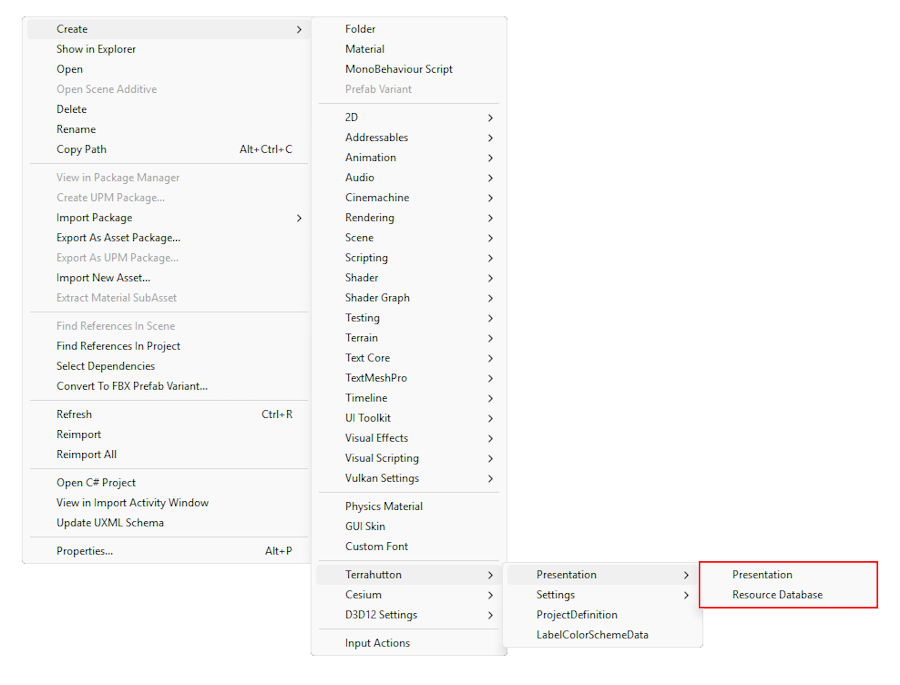
Use the following naming convention:
{ProjectName}_Presentationfor the Presentation Asset.- Example:
BHP_Presentation
- Example:
{ProjectName}_ResourceDatabasefor the Resource Database Asset.- Example:
BHP_ResourceDatabase
- Example:
Once the assets have been created, select the Presentation asset in the Inspector and assign the Resource Database to it.
Finally, add the Presentation asset to your ProjectDefinition asset.
See Getting Started for more information